


Your Google Business Profile is verified. Your hours are correct. Your reviews aren’t bad.
And yet a competitor with fewer reviews, sometimes even farther from the searcher, keeps beating you to the local pack.
That’s not bad luck. It’s a sign that one of the factors Google actually uses to rank Maps results isn’t in your favor.
While proximity remains one of the most stubborn constraints in local search, robust profile activity and prominence can help stretch your map reach further than before. A neglected local profile will still lose to an active one if the distance gap isn’t massive. Businesses treating Google Maps-like set-it-and-forget-it listings are getting buried, while competitors who post weekly, respond to reviews in hours, and keep their profile fresh are winning.
The good news? You can fix this. Today.
TL;DR
- The 3 Rules of Local SEO: Google Maps ranking all boils down to Relevance (does your profile match the search?), Distance (are you close by?), and Prominence (are you active, trusted, and getting reviews?).
- The Big Secret: Location matters, but a neglected profile gets crushed by an active one every time. If you post updates weekly and reply to reviews fast, you can easily outrank competitors who set up their profile years ago and forgot about it.
- Your Next Steps: Start by fixing your primary business category, clean up your service area settings, and aim for a steady trickle of new reviews each month. Track your actual progress neighborhood-by-neighborhood with a grid tool like Local Falcon, and just stay consistent.
What are the Google Maps Ranking Factors?
Google names exactly three ranking factors for Maps and the local pack; Relevance, Distance, and Prominence. Everything else you’ve read about (posts, photos, citations, review count) is a sub-signal that feeds one of these three.
Relevance
Relevance means how closely your business profile matches what someone is searching for.
For example, if someone searches for “emergency plumber,” Google needs to determine which businesses actually provide emergency plumbing services.
Your profile should clearly and accurately explain what your business offers.
Important information can include:
- Your primary business category
- Additional relevant categories
- Business description
- Services
- Products, where applicable
- Attributes
- Business hours
- Website content
- Other information available about your business
The goal isn’t to add as many keywords as possible.
It’s to make it obvious what your business does.
For example, a plumbing company shouldn’t try to turn its business name into:
Best Emergency Plumber in Kathmandu – 24/7 Plumbing Services
if that isn’t its real-world business name.
Instead, use the actual business name and provide detailed, accurate service information in the appropriate parts of the profile.
Distance
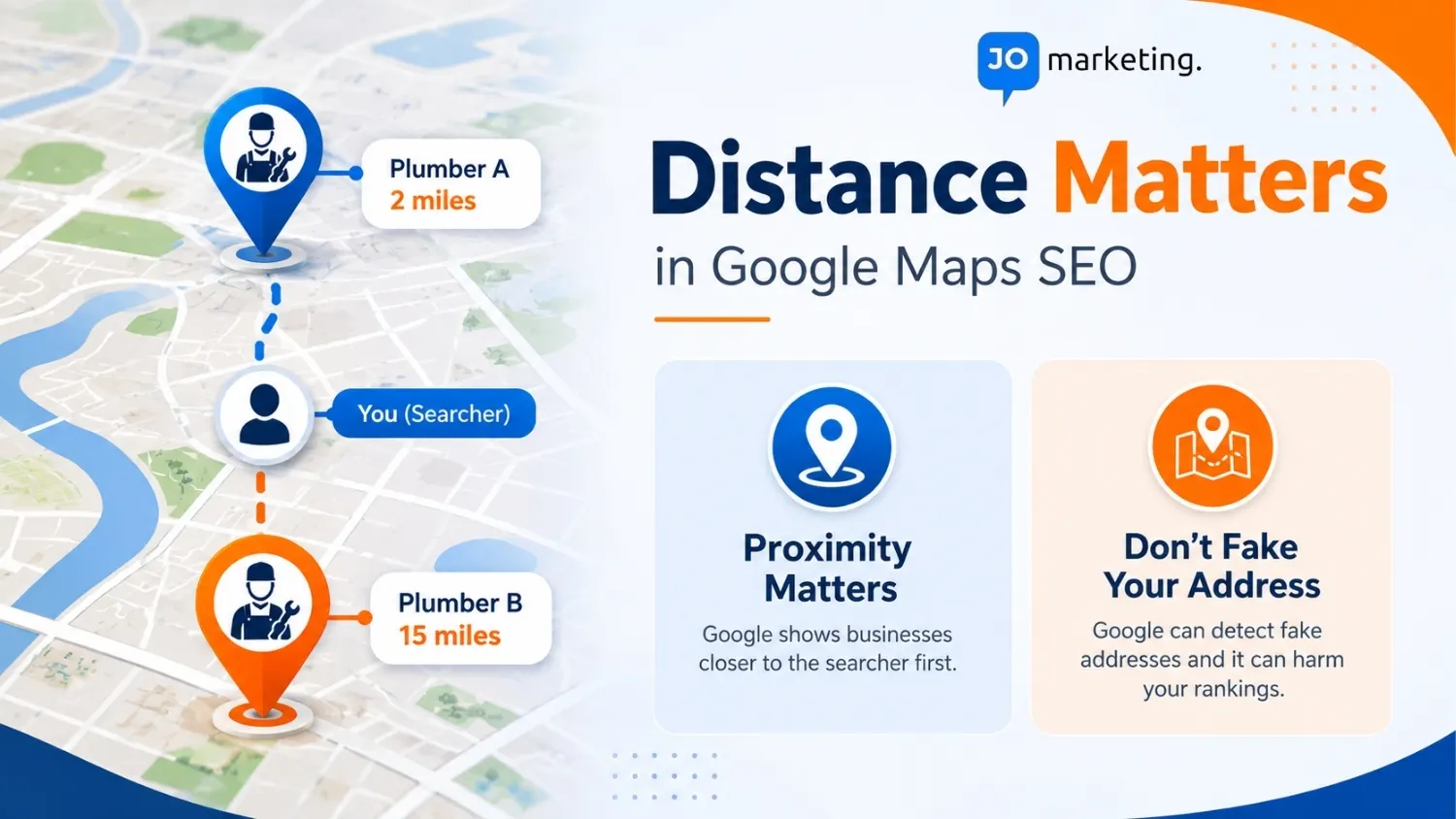
Distance refers to how far a business is from the person searching. This is one of the biggest differences between Google Maps SEO and traditional organic SEO.
Within the broader scope of SEO in marketing, a website can potentially rank for someone hundreds of miles away, whereas a local business usually cannot overcome a large physical-distance disadvantage simply by adding more keywords to its profile.
For example, if two plumbers are equally relevant to a search, the one located closer to the searcher may have an advantage.
You cannot change where your existing business is physically located just to improve Maps rankings.
What you can do is make sure your location information and service-area details accurately represent where you operate.
Never create a fake address or use a virtual location simply to try to rank in another area.
Prominence
Prominence refers to how well-known a business is.
Google says prominence can be influenced by information such as links from other websites and the number and quality of reviews a business receives.
This is where your wider online presence becomes important.
Factors that can contribute to your business’s prominence include:
- Genuine customer reviews
- Positive ratings
- Links from relevant websites
- Local business mentions
- Your website’s authority and visibility
- Your overall presence across the web
A business doesn’t automatically become prominent because it publishes a certain number of Google Posts or uploads a specific number of photos each month.
Instead, think about the bigger picture: How clearly does the web establish that this is a real, reputable, relevant business?
What About Reviews, Photos, Posts and Citations?
You’ll often see local SEO guides describe every optimization tactic as a “Google Maps ranking factor.”
That’s too simplistic.
Google recommends keeping business profiles complete and accurate, responding to reviews, and adding photos and videos. These practices can make your profile more useful to customers and support your overall local presence.
However, Google doesn’t publish a complete checklist of individual ranking signals or say that publishing one post per week, uploading ten photos, or maintaining a particular citation count will produce a specific ranking improvement.
What about the LocalBusiness schema? Adding relevant LocalBusiness structured data to your website can help search engines understand important details about your business, such as its name, address, phone number, hours, and location. It can support how your business information is understood across search, but it shouldn’t be treated as a direct Google Maps ranking shortcut. |
So focus on useful, accurate, customer-focused optimization, rather than trying to hit arbitrary numbers.
Running a business and managing your local SEO at the same time isn’t always easy. If you’re not sure what to optimize, what to prioritize, or how to keep your local presence growing, JO Marketing can help you navigate the process with a practical SEO strategy.
Difference Between Google Maps (Local) SEO and Traditional Organic SEO
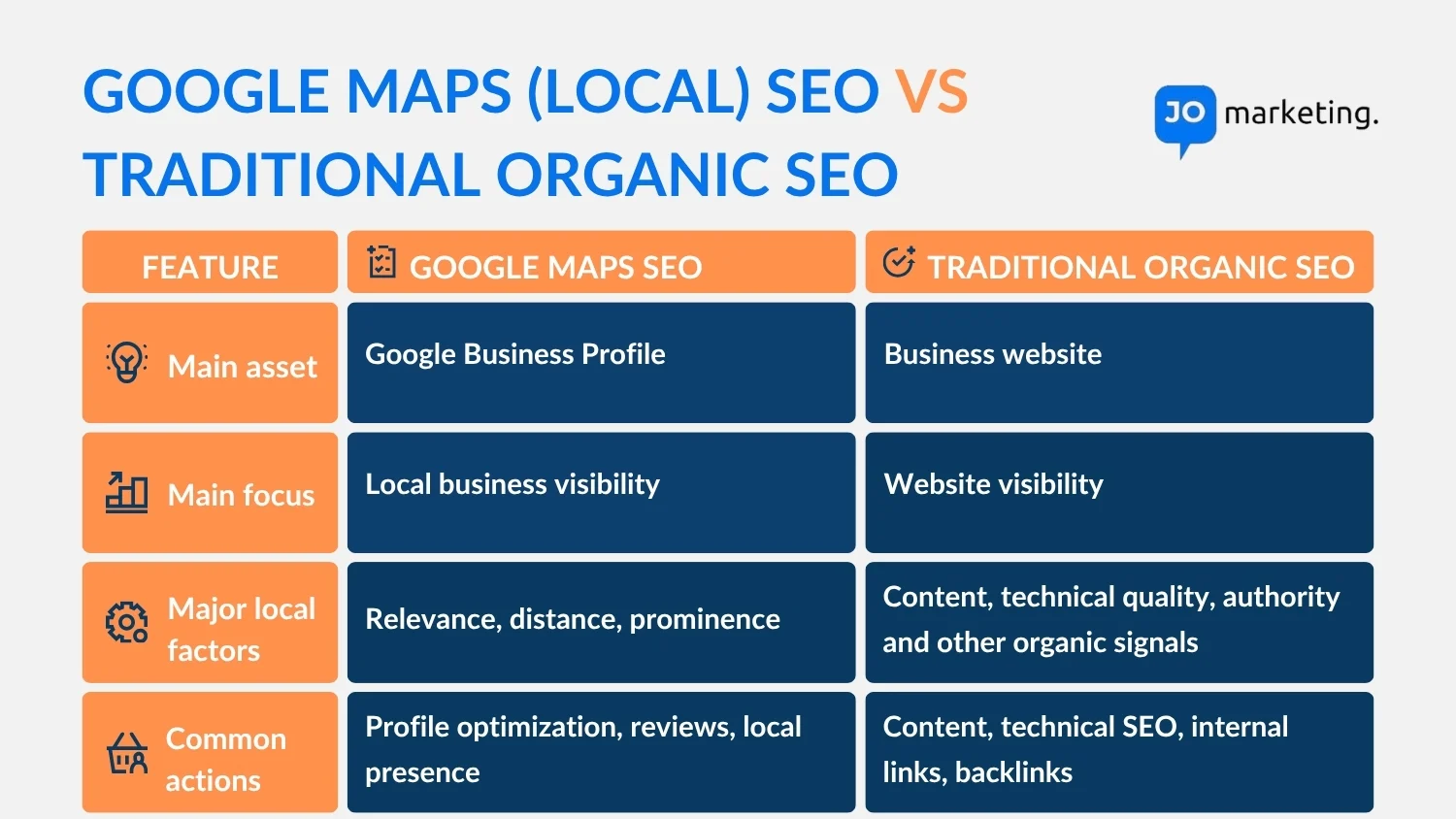
Google Maps SEO and traditional SEO have the same broad goal: helping people find your business through Google.
But they work differently.
Traditional organic SEO focuses primarily on getting your website’s pages to appear in Google’s standard search results.
Google Maps SEO focuses on your business’s visibility in Google’s local results, including Google Maps and the local results that appear for location-based searches.
Google Maps SEO vs. Organic SEO at a Glance
Feature | Google Maps SEO | Traditional Organic SEO |
Main asset | Google Business Profile | Business website |
Main focus | Local business visibility | Website visibility |
Major local factors | Relevance, distance, prominence | Content, technical quality, authority and other organic signals |
Location importance | Very high | Varies by query |
Reviews | Important to local reputation | Not a primary organic ranking factor |
Website | Supports local presence | Central ranking asset |
Common actions | Profile optimization, reviews, local presence | Content, technical SEO, internal links, backlinks |
Main user actions | Calls, directions, website visits, bookings | Website visits, purchases, sign-ups, research |
The two strategies should not be treated as separate worlds.
A strong local SEO strategy usually connects your Google Business Profile, website, reviews, local mentions, and customer experience.
Local search becomes especially important for businesses competing in a specific city or service area. If you’re targeting customers in Nepal, here’s a closer look at why local SEO is important in Nepal.
Why Your Google Map Profile Isn't Ranking?
If you’re stuck outside the top three, it’s almost always a gap in relevance or prominence, sometimes both.
A vague or outdated primary category quietly caps how relevant you look for the exact searches you want to win, even when the rest of your profile is complete. Distance itself is fixed; you can’t fix that without opening another location, but a misconfigured service-area radius can accidentally exclude neighborhoods you actually serve, which looks like a distance problem but is really a setup mistake.
The most common gap, though, is prominence. A few signs your profile has gone stale:
- No new review in months
- No recent posts or photo updates
- Review responses taking days instead of hours
- Inconsistent business name, address, or phone number (NAP) across Yelp, Bing, Apple Maps, and your own site
None of these alone will tank you. But stacked together, they read to Google and to searchers as an inactive business. And an active competitor with a similar or even smaller review count will out-rank you for exactly that reason.
How to Increase My Google Maps Ranking?
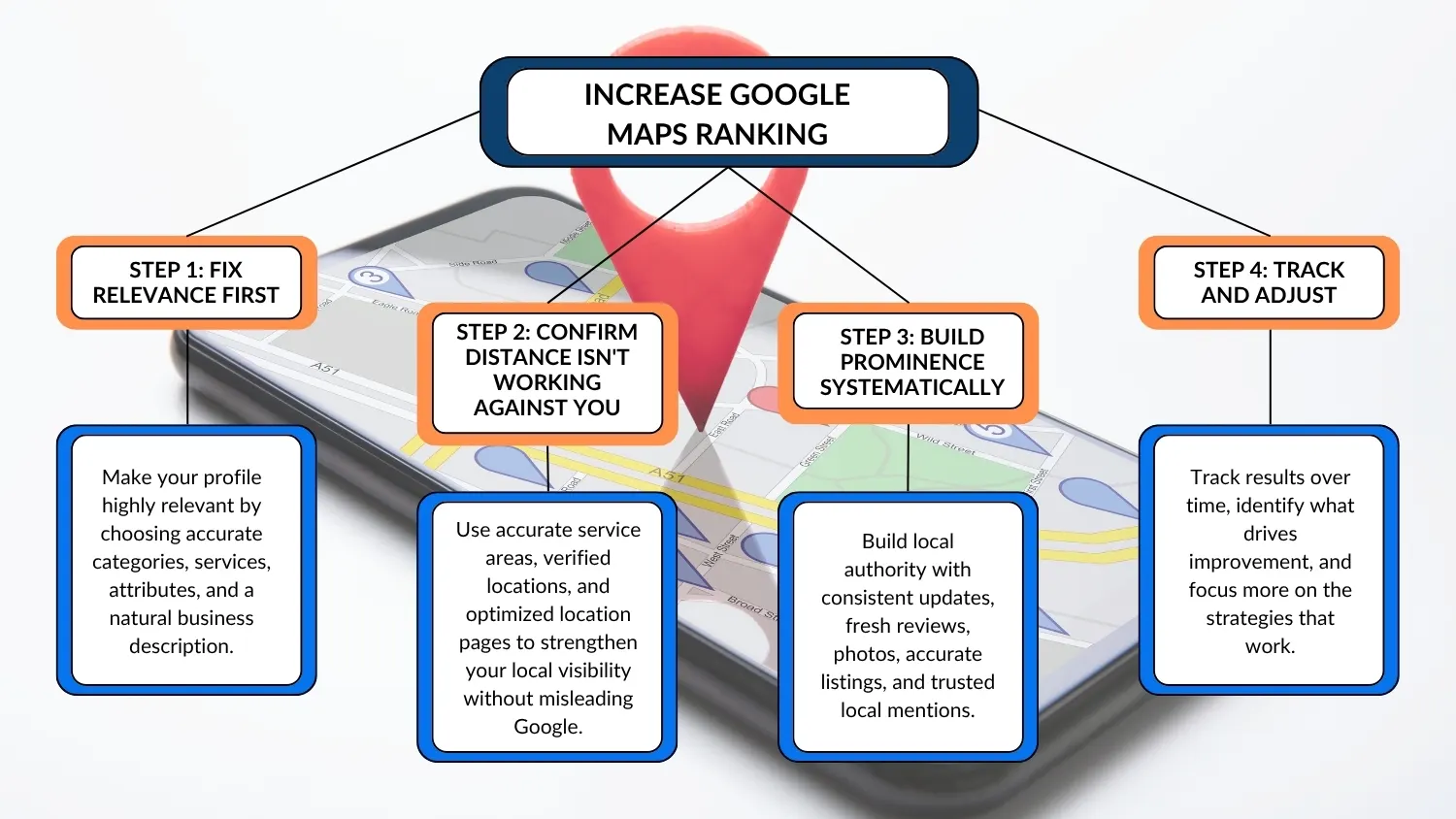
Improving your Google Maps visibility means strengthening the factors you can influence while making sure your business information accurately reflects where and what you serve. Make sure Google clearly understands what your business does, where you serve, and why customers should trust you
There’s no single trick that jumps you from page two to the top three. It’s a stack of correct decisions, maintained over months. Here’s the order I’d work through it.
Step 1: Fix Relevance First
- Audit your primary category against your top 3 competitors; if they all use one you don’t, that’s a likely quick win
- Add accurate secondary categories for services you genuinely offer
- Write a complete business description in natural language (not keyword-stuffed)
- Fill in every attribute that applies to your business
- List specific services, “Emergency Drain Cleaning,” not just “Plumbing.”
Step 2: Confirm Distance Isn't Working Against You
- Set your service area to reflect where you actually work, not an inflated radius
- If you genuinely serve multiple distinct areas, consider whether a second verified location is justified
- Build optimized location pages on your website and embed Google Maps properly
Step 3: Build Prominence Systematically
- Post a Google Business Profile update weekly
- Request 2–4 reviews per week from recent customers
- Respond to every review; good or bad, within 24 hours
- Upload new photos monthly
- Audit NAP consistency across major directories quarterly
- Earn mentions and links from local news, associations, or partner sites
Step 4: Track and Adjust
- Give it 2–3 months before judging results, this isn’t a same-week game
- Note which categories, services, or posts came right before movement, and double down on what’s working
Want help improving your Google Maps visibility? Our local SEO services can help optimize your Google Business Profile, strengthen your local presence, and build a strategy around the areas you want to reach.
What are the Best Google Maps Ranking Checker Tools?
Tracking your local visibility manually by standing in different neighborhoods doesn’t work. To accurately monitor where you rank across your target service area, you need a dedicated Google Maps ranking checker.
The best tools use grid-based tracking to show your exact ranking coordinates:
- Local Falcon: The gold standard for visual grid-tracking, showing how your rank changes block-by-block.
- BrightLocal: Excellent for all-around local SEO tracking, review monitoring, and citation audits.
- Google Business Profile Insights: The built-in, free analytics dashboard showing how many people found you via discovery vs. direct searches.
Tracking your rankings can show you where your visibility is improving, but knowing why your business is moving up or down is another matter. If you’re struggling to turn ranking data into an actionable strategy, working with a local SEO expert can help you identify the gaps holding your profile back.
What You Should Actually Know About Google Reviews for Map Ranking?
Reviews sit inside prominence, but they deserve their own section; there’s a lot of bad advice floating around this topic.
Consistency beats a single big push. A steady flow of new reviews—say, 4–8 a month, tends to outperform a one-time spike of 50 reviews followed by silence. Google reads consistent velocity as an ongoing, present-day signal. A burst followed by a dead period can actually look suspicious rather than impressive.
Rough benchmarks by competition level:
- Low-competition markets: 20–30 recent reviews can be enough
- Moderate competition: aim for 50+, with monthly velocity
- Saturated categories (dentists, lawyers, plumbers in major metros): 100+ is closer to table stakes
The trend line still matters more than the total.
Review keywords genuinely help, but you can’t script them. When a customer’s review naturally mentions your specific service or location (like mentioning “emergency plumbing” or a specific neighborhood), that text feeds your relevance signal, not just prominence.
You can nudge this compliantly by asking, “What service did we help you with today?” in your follow-up, but you must never write the review for the customer or instruct them on what exact words to use. Doing so violates Google’s policies against review manipulation.
Bulk or purchased reviews are a real risk, not a shortcut. A few things worth knowing:
- Buying reviews, incentivizing reviews, or filtering unhappy customers away from Google (“review gating”) all violate Google’s policies
- Google’s detection systems flag unnatural patterns easily; a sudden cluster of five-star reviews from accounts with no other activity is one of the easiest patterns to catch
- The consequence isn’t just losing the fake reviews. It can trigger a profile-wide trust penalty or suspension, which takes far longer to recover from than the reviews would have saved you
Old reviews lose relevance over time, but they’re not worthless. A profile with 100 reviews from two years ago and nothing since reads as less “current” than one with 20 reviews and a fresh one every week.
Old reviews still count toward your total and average rating. Google’s local algorithm simply gives more weight to recency when judging whether a business is actively serving customers today.
Can I Pay Google to Rank Higher in Google Maps Organically?
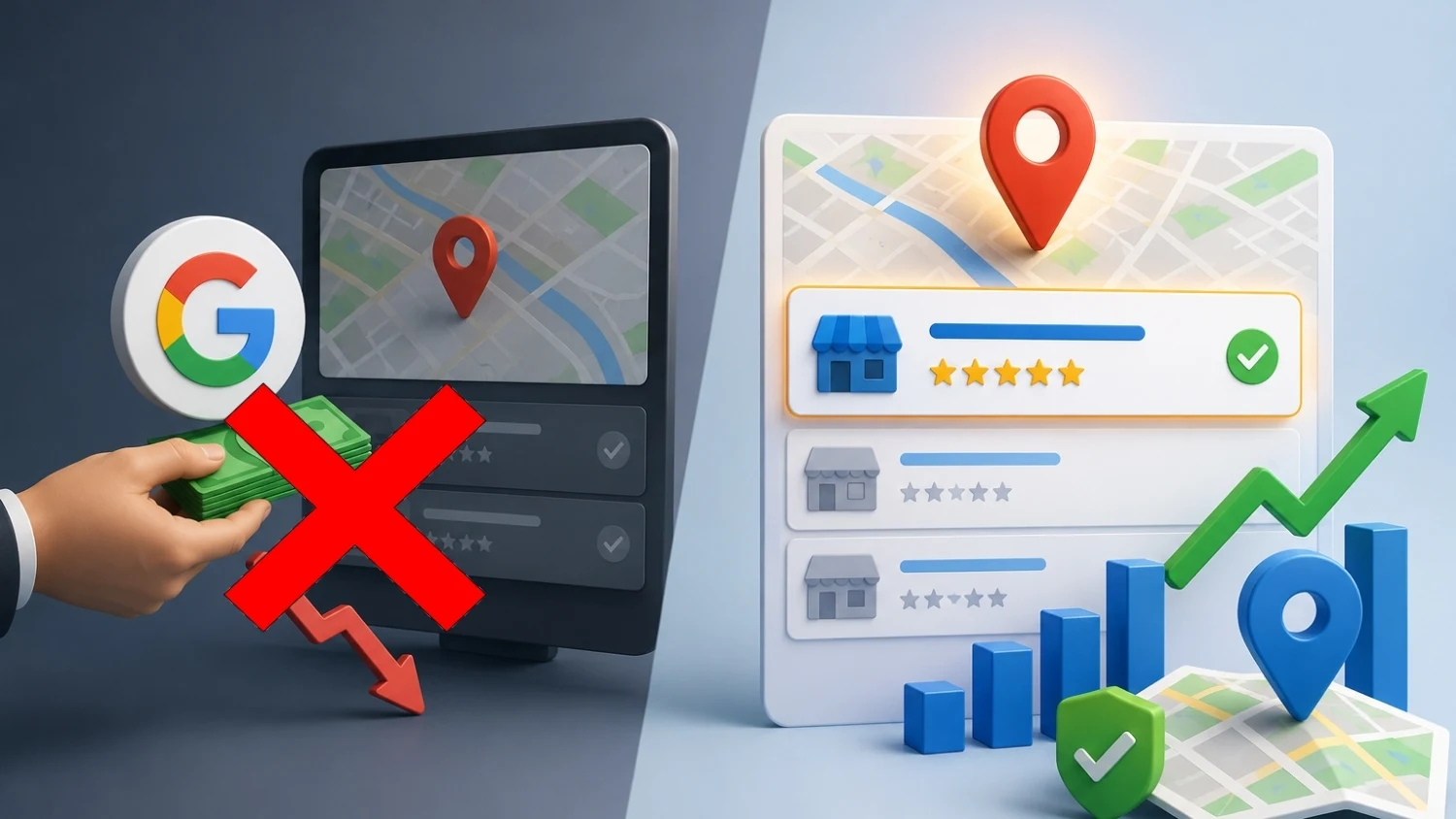
No. Google has stated directly that there’s no way to pay for, or request, a better position in organic local results.
This is worth repeating, because it’s one of the most common pitches from disreputable agencies: nobody can guarantee a top-3 spot for a flat fee, because that spot isn’t for sale.
What you can pay for is advertising that appears alongside, not instead of, organic results:
- Local Services Ads (LSAs): pay-per-lead ads shown above the local pack for certain service categories
- Google Ads (Search / Performance Max): sponsored placements that can include location extensions
- Traditional paid media: doesn’t touch Maps ranking directly, but branded search demand it creates can indirectly support prominence over time
If someone offers to guarantee organic rankings for money, treat it as a red flag. It’s either misrepresenting paid ads as organic ranking, or it’s a black-hat tactic that risks your listing getting suspended.
Recommended Read: How SEO and Google Ads Work Together?
Google Maps Ranking Checklist: 30-Day Action Plan
Want to improve your Google Maps ranking? Don’t try to do everything at once. Focus on a few important tasks each week, then keep them going once the 30 days are over.
Week 1 – Get Your Profile Ready
First, make sure your Google Business Profile is complete and accurate.
Verify that your GBP is claimed and fully verified.
Choose the right primary category and add relevant secondary categories.
Fill in all the important details, including your description, services, hours, and attributes.
Add 10 or more recent, good-quality photos of your business.
Make sure your business name, address, and phone number (NAP) are the same on your website, Yelp, Bing Places, and Apple Maps.
Week 2 – Get More Activity
Now, start giving people more reasons to interact with your profile.
Plan and schedule Google Posts for the next four weeks.
Make a list of recent customers you can ask for an honest review.
Create 2–3 different review request messages so you don’t send everyone the same text.
Set a weekly reminder to publish a post and ask customers for reviews 2–3 times a week.
Week 3 – Ask for Reviews
This is where your review process starts.
Send a personal review request to recent customers.
Add a QR code to your receipts or business cards that takes customers straight to your Google review page.
Reply to every new review within 24 hours whenever possible. A simple, genuine response is better than a copy-paste reply.
Week 4 – Make It a Habit
By now, you should have the basics in place. The next step is to keep things moving.
Set a simple weekly routine: publish a post, ask for reviews, and reply to customer feedback.
Review your NAP details and business categories every few months.
Keep track of your review count, how quickly you respond, and where you rank for your top three local search terms.
When Should You See Results?
Don’t expect your Google Maps ranking to change in a few days. Local SEO takes time.
You may notice more activity on your profile within the first 2 weeks. Some ranking changes can show up within 2–3 months, while stronger results often take 4–6 months. The timeline can be shorter or longer depending on your location, competition, and how consistently you work on your profile.
Don’t know where to begin with SEO?
Jumpstart your learning with our free foundational resources and guides—[Explore Free Resources]
Final Thoughts
Google Maps ranking isn’t a mystery you need to pay someone to solve. It’s three factors that worked consistently.
Get your category and profile details as accurate as possible. Keep your service area honest. Treat review generation and profile activity as a weekly habit, not a one-time project.
None of this requires a budget. It requires consistency, which is exactly why most competitors don’t sustain it and exactly why the ones who do end up owning the local pack.
Stop losing local traffic to competitors who simply stay more consistent. Let JO Marketing handle the heavy lifting, from tightening up your categories and service areas to building a reliable engine for local calls and directions.
Get in touch with JO Marketing today to elevate your Google visibility.
Frequently Asked Questions
Is 4.2 a good Google rating?
Yes. Ratings between roughly 4.2 and 4.6 are normal and healthy for an established business. A near-perfect 5.0 with few recent reviews can actually signal less trust than a 4.3 with steady, fresh feedback.
How many Google reviews do I need to rank in the local pack?
It depends on your market’s competitiveness: roughly 20–30 with consistent recent activity in low-competition areas, 50+ in moderately competitive ones, and 100+ in saturated categories like law or dentistry in major cities. Consistency of new reviews matters more than the raw total.
Can I buy Google reviews?
No. Purchased or incentivized reviews violate Google’s policies and are commonly caught through unnatural activity patterns. They can lead to review removal or full profile suspension — the risk isn’t worth the short-term boost.
Can I pay Google to rank higher organically?
No. Google has stated there’s no way to pay for better organic local ranking. You can buy Local Services Ads or Google Ads, which appear alongside organic results but don’t influence your organic Maps position.
Does responding to reviews actually affect ranking?
It contributes to your prominence signal. Businesses that respond promptly and consistently tend to be read by Google as more actively managed, which supports ranking alongside the other prominence factors like review volume and recency.
Is local SEO worth it compared to paid ads?
For most small businesses, yes. It typically has a lower ongoing cost and compounding returns, since an optimized, active profile keeps generating visibility without a recurring ad spend. Paid ads can deliver faster results but stop producing leads the moment you stop paying.
Can I do Google Maps SEO myself, or do I need to hire someone?
A single-location business in a moderately competitive market can realistically manage this in-house with a few hours a week. Multi-location businesses, highly competitive categories, or anyone wanting faster results are usually better served by a dedicated local SEO specialist.
Is SEO dead now that AI search (AI Overviews, Gemini, AI Maps summaries) is growing?
No, if anything, it’s more important. AI-generated local answers pull directly from your Google Business Profile, your reviews, and your website. A complete, accurate, active profile is what gets you cited in AI summaries; a neglected one is invisible in both traditional and AI-powered search.
What is Level 7 (or similar) on Google Maps?
That’s a Local Guide contribution level based on a user’s personal activity; reviews, photos, edits, on Google Maps. It reflects an individual reviewer’s engagement, not your business’s ranking, so it has no direct effect on where your business appears in search.
How long does it take to see ranking improvements after optimizing my profile?
Most businesses see early movement within 2–3 months and more meaningful results by month 4–6, depending on how competitive the market is and how consistently the work is maintained. A profile that was recently suspended or reinstated may take longer to regain trust.
-
Aastha Sunuwar
- Aastha Sunuwar is an SEO Specialist working across SEO, content optimization, keyword research, and local SEO. She has hands-on experience working with businesses to improve their search visibility, optimize website content, and strengthen their presence in local search. Her work focuses on practical SEO strategies, useful content, and understanding how search engines and users interact with websites.